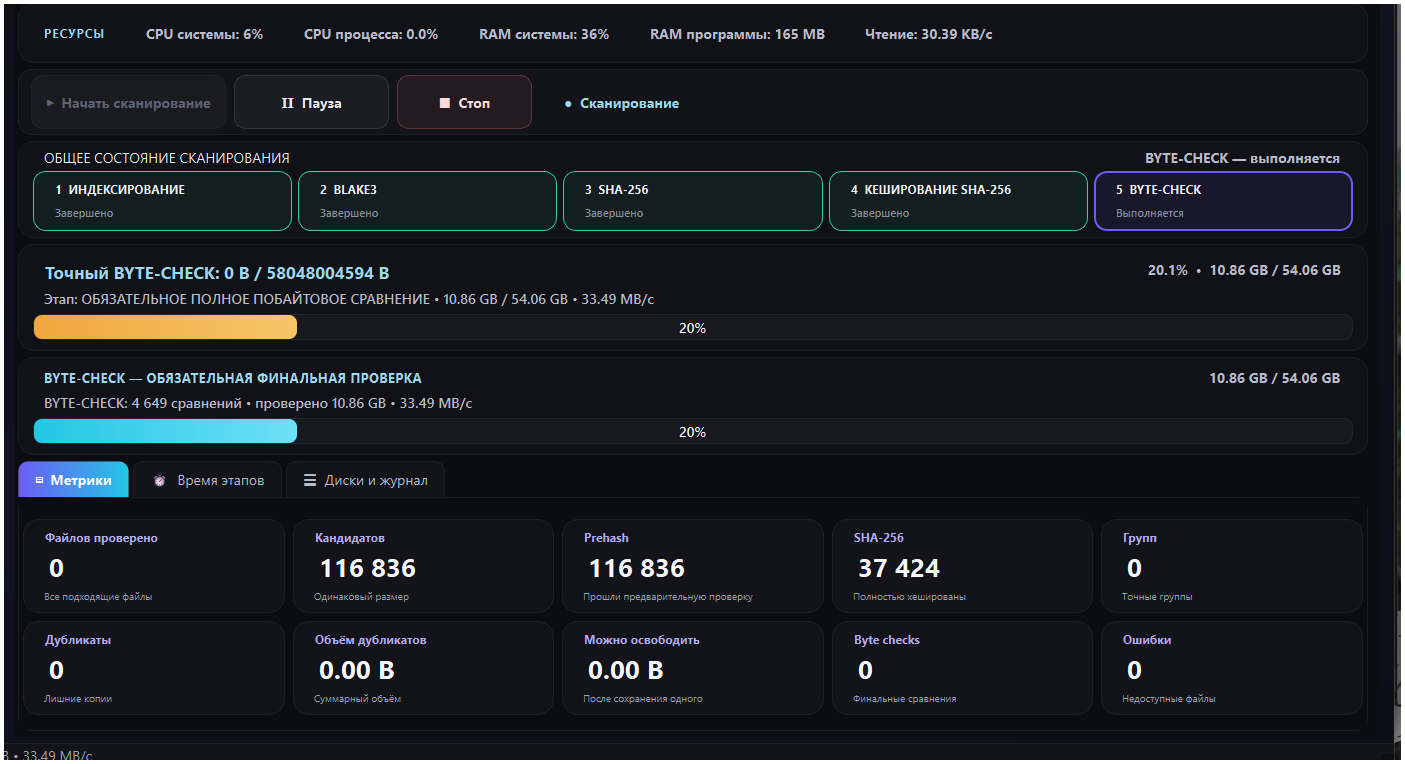
Duplicate Finder Pro is a program for finding and carefully removing identical files on your computer. It compares file contents, not just the name, extension or size.
Files with different names are treated as identical only after their contents have been compared.
Controlled removal
One copy in every group is protected. You choose the other files yourself.
Recovery
Moved files go to the program’s own recycle bin and can be restored until it is finally emptied.
What’s new in version 7.5.19
An important safety update — we recommend that all users upgrade.
Protection for installed programs
Files of installed programs are no longer mistaken for redundant copies. Identical content is not necessarily a spare copy: the same library is needed by every program it sits in.
Runtimes and package caches (Python, Node.js, Rust/Cargo, Java/Gradle, .NET, Conda, ESP-IDF, PlatformIO and others) on any drive and in the user profile are excluded from the search automatically.
If identical files sit in different installed programs, a copy is kept in each of them.
Fixed protection of system folders C:\Recovery, C:\Boot, C:\EFI, C:\Windows.old, C:\Config.Msi and others.
Protection now works correctly for user accounts with Cyrillic names.
New features
“Tree” tab: when you choose a drive, its folder tree is shown — clear a checkbox and that folder will not be scanned. Protected folders are marked.
“Clear results” button — discard the scan results without doing anything to your files.
“Orphaned files…” in the program’s recycle bin — finds files left in the bin without a record, with the option to export them to a folder or delete them.
Reliability of the program’s recycle bin
A record of the file is created before the move and confirmed after it. An operation interrupted by the Cancel button or a crash is resolved automatically on the next launch — with no lost files.
When updating, the installer no longer leaves copies of previous versions of the program.
Fixes
A checkbox ticked manually in the results table is now kept.
Fixed the program freezing for 30–50 seconds after pressing Cancel while moving files to the recycle bin.
The byte-by-byte check no longer reports false mismatches on network and USB drives.
With the “keep the oldest” rule, a file whose date could not be read is no longer kept.
Preparing to move a large number of files is faster.
The publisher of the program is SRG NARMOVION.
How duplicate search works
Duplicate Finder Pro first groups files of the same size. It then applies the fast XXH3-128 hash, calculates SHA-256 for the candidates and finishes with a full byte-by-byte comparison. The result therefore refers to exact copies, not to files with similar names.
This approach suits checking documents, archives, photos, videos, backups, source code, installers and other files on the Windows drives and folders you select.
What a duplicate finder is for
free up space on an SSD, HDD or external drive;
sort out repeated downloads, archives and backups;
find identical documents and installers in different folders;
check a large photo or video archive before cleaning it up by hand.
Frequently asked questions
Does the program delete files automatically?
No. It shows the groups it found, and you choose which copies to move to the recycle bin.
Is this a similar-photo finder?
The main mode looks only for exact content matches. This rules out deleting files that are similar but different.
How do I install Duplicate Finder Pro?
Download the installer for Windows 10 or 11, run it and follow the installer’s steps.