Information monitor · Windows 10/11 · x64

NARMOVION INTELLIGENCE

A news reader, web page monitor and software release tracker in one window. It reads RSS, Atom and JSON Feed, notices changes on pages, matches your keywords and keeps everything in a local archive you can search offline.

WINDOWS 10/11 · x64FULL OFFLINE INSTALLERVERSION 1.1.1
CURRENT VERSION 1.1.1
One installer contains everything the program needs, including the .NET runtime. Download it, install, and add your first source.
Installer: NARMOVION-Intelligence-Setup-1.1.1-x64.exe · 55.2 MB
SHA-256: 285DE290BC7E8E8AFF5D8B6BB0C772B71CA2E0B92319F8B147455DC60ED94F72
ZIP (79.9 MB) · SHA-256: A7F138D768ABD01A2D420C9D470EA697D03C53146A7D8CBB1239296BA9AEE06E
What's new in 1.1.1
  • Search, Unread, Starred and filters now cover the whole archive, not only the latest 500 stories. Pages in windows-1251 are read correctly. Added an optional system proxy, lower traffic when refreshing feeds and cleanup of old history; new keyword rules also find older stories.
  • AI no longer needs Ollama: connect any OpenAI-compatible server or service (LM Studio, llama.cpp, vLLM, or a cloud service with your own API key). The program asks for confirmation before sending text to a remote service, and the key is stored encrypted. Without AI everything else works as before.
  • Feeds that failed to load because of a parsing error (for example RSS with xml:base) are now read.
  • When a feed is found but cannot be read, the program shows the reason instead of "no feed found".
  • A starter catalog for Arduino/ESP32 sources, with feed discovery and retry for failed feeds.
  • The archive loads in pages; source errors show the HTTP status and last successful check.
  • Optional daily app-version checks can be disabled; downloads and installation remain manual.
  • First public version.
  • Reads RSS 2.0, RSS 1.0, Atom and JSON Feed, with feed autodiscovery and OPML import and export.
  • Web page monitoring with an optional XPath region, change history and Windows notifications.
  • Software version tracking from GitHub Releases and release-notes pages.
  • Keyword rules with AND, OR, NOT and phrases, smart filters, grouping of similar stories, full-text search.
  • Dark and light "Graphite & Gold" themes, interface in English and Russian.
Why Windows or the browser may warnThe installer is not signed with a paid code-signing certificate yet, so Windows SmartScreen or the browser can show a warning for a new file. Check the SHA-256 above against the file you downloaded. Inside the .zip the installer is the same file.
LOCAL FIRSTSQLite archive on your computer
FEEDSRSS · Atom · JSON Feed
MONITORSWeb pages and software releases
AIOptional: Ollama or your own server

Feed, reader and tools in one window

Your sources, archive, settings and backups stay on your computer.
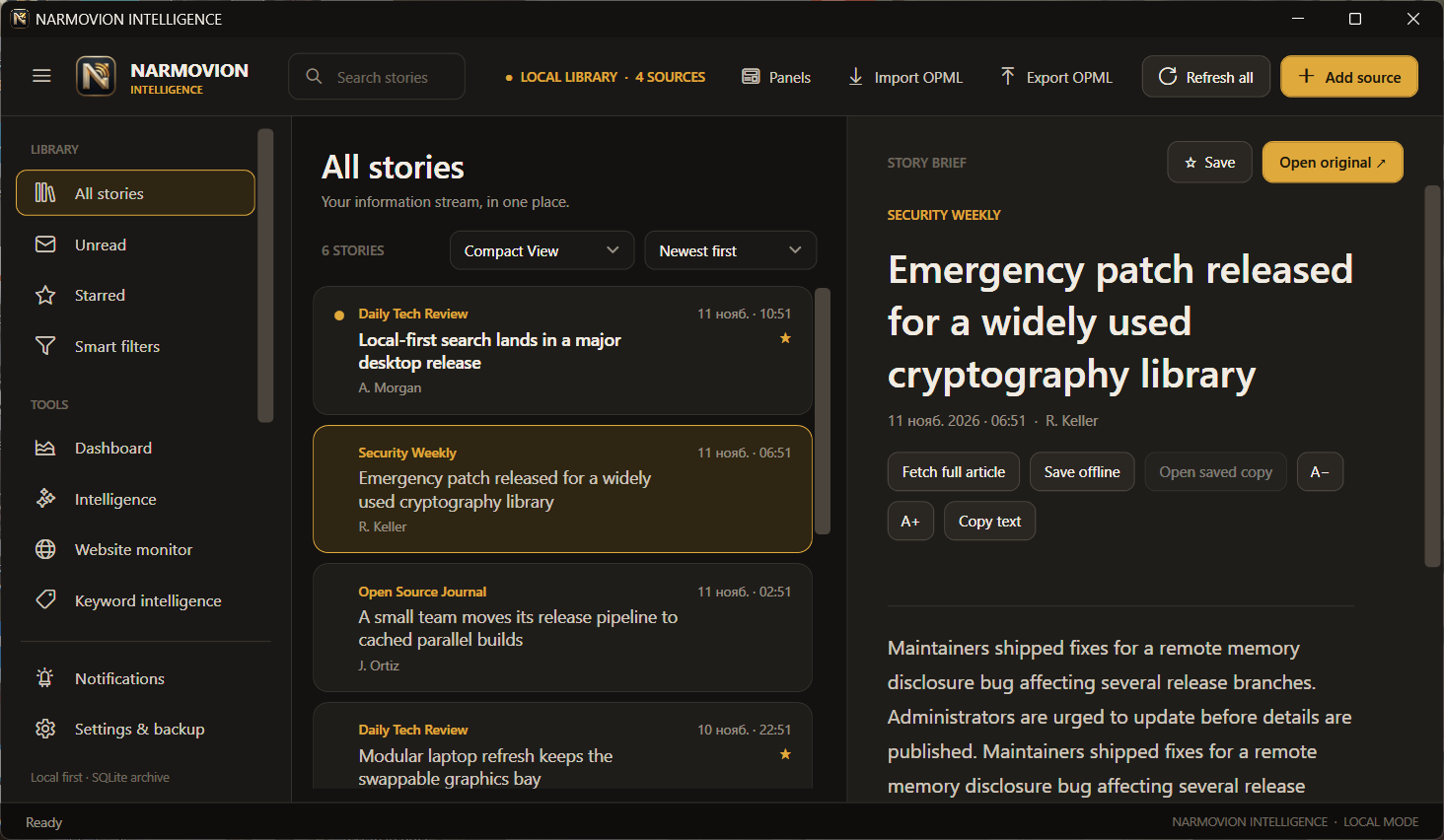
NARMOVION INTELLIGENCE window with the story list and the reader
NARMOVION INTELLIGENCE window (dark theme)SAMPLE DATA · WINDOWS
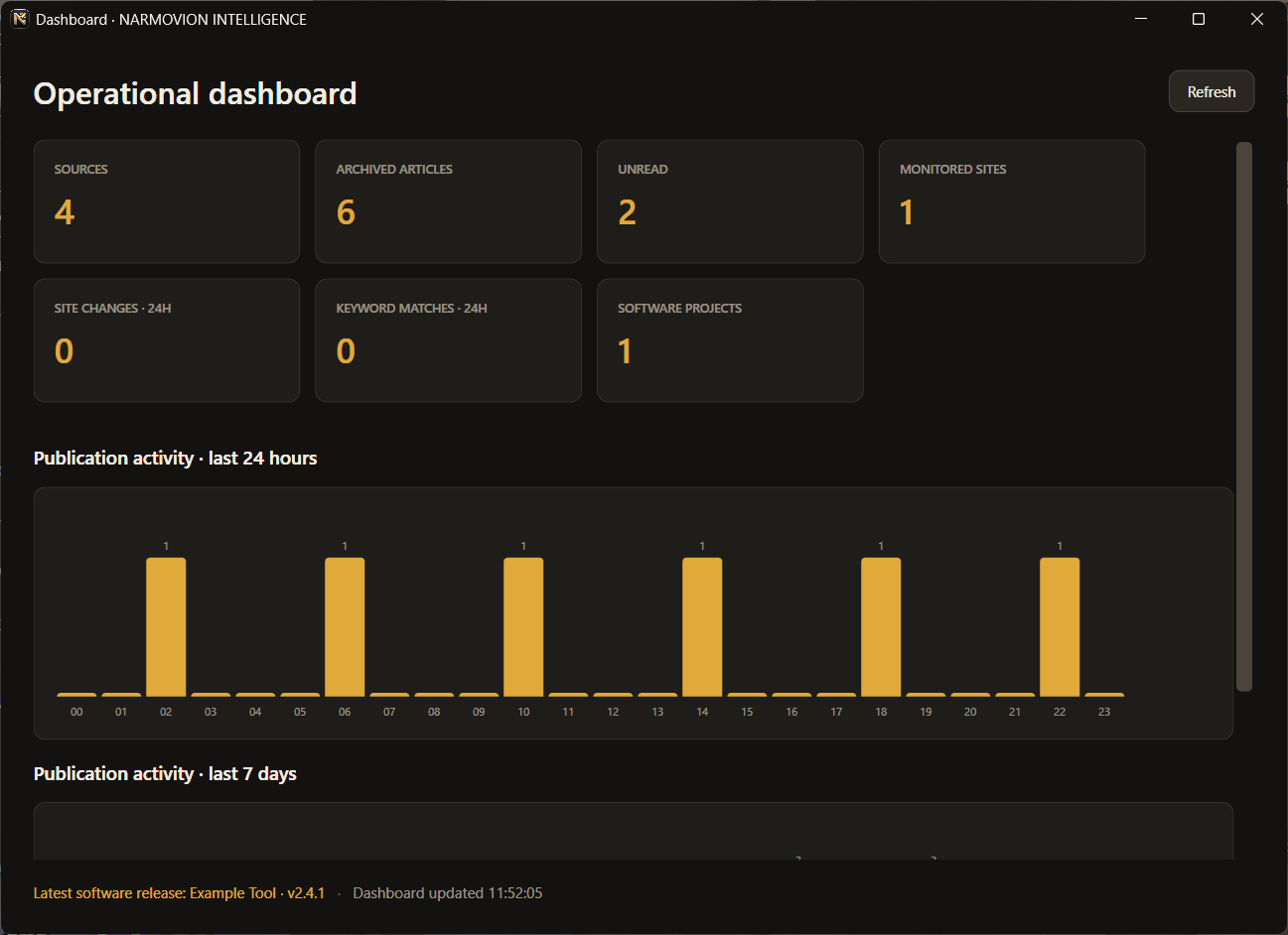
Dashboard with metrics and publication activity
DashboardSAMPLE DATA · WINDOWS
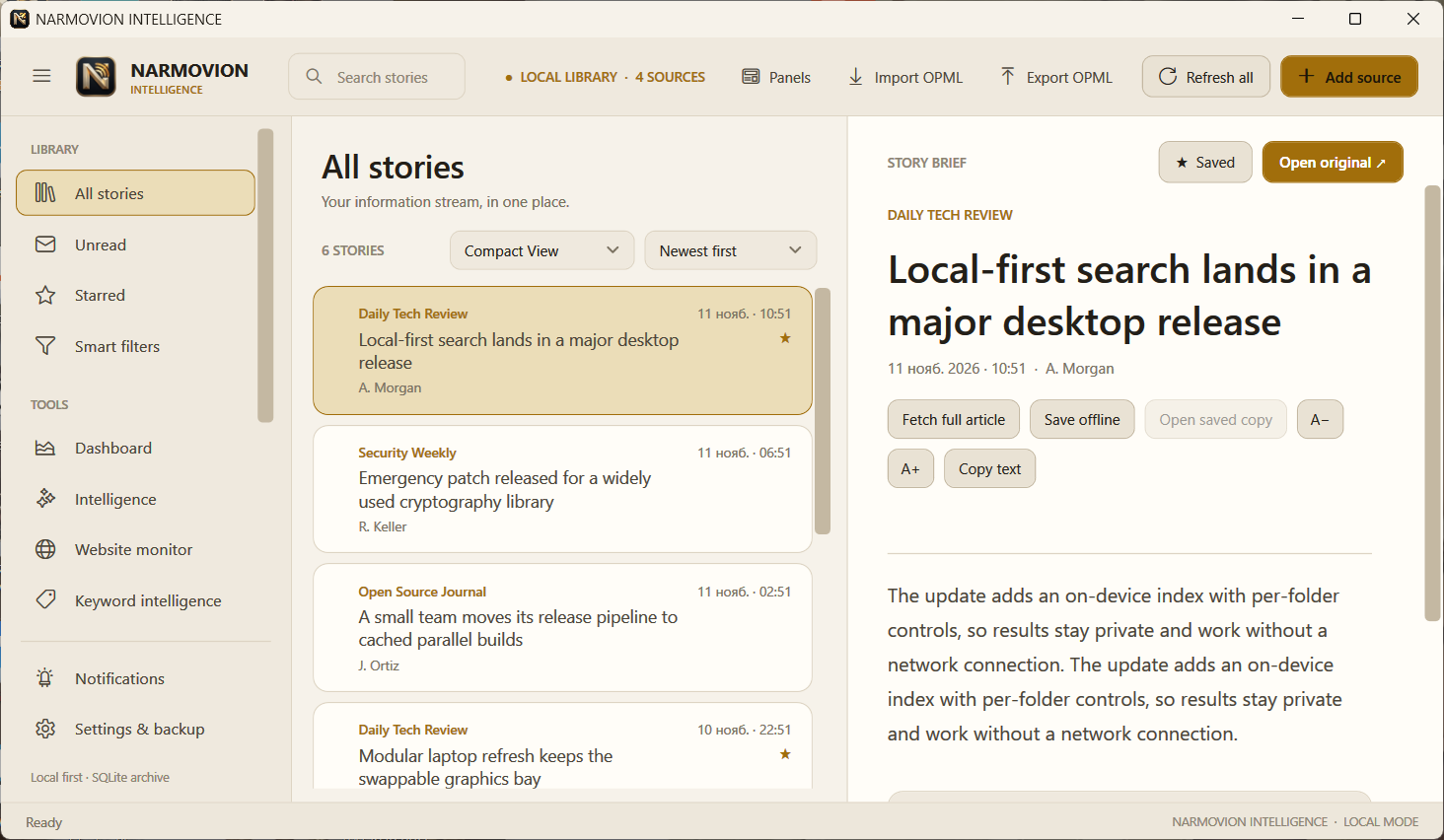
NARMOVION INTELLIGENCE in the light theme
Light themeSAMPLE DATA · WINDOWS
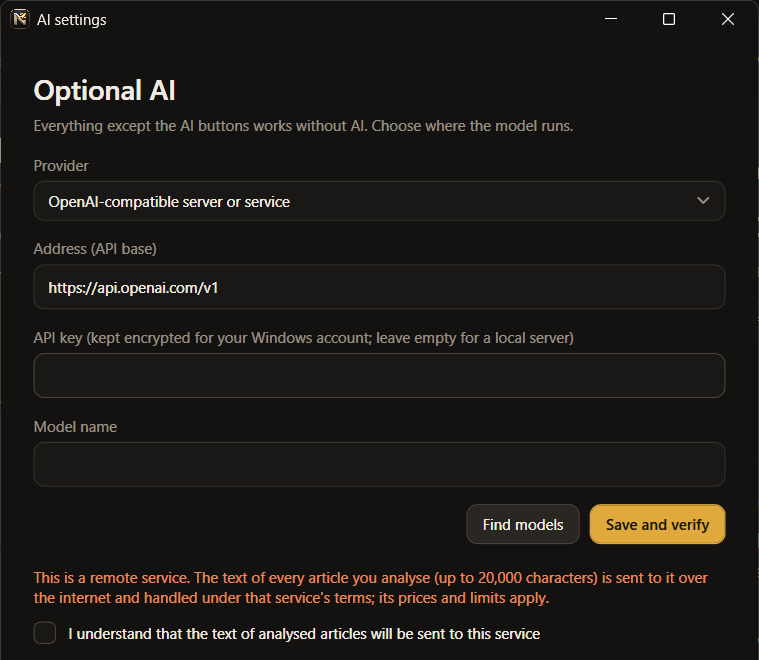
AI settings: choose Ollama or an OpenAI-compatible server
AI settings: Ollama or your own serverSAMPLE DATA · WINDOWS

Everything you follow, in one place

Feeds and reader

RSS 2.0 and 1.0, Atom, JSON Feed. Autodiscovery from a site address, categories, OPML import and export. Clean article extraction, font scaling and offline copies.

Website monitoring

Watches the text of a page or of one region (XPath). Keeps snapshots of every change and tells you what changed.

Software releases

GitHub Releases and release-notes pages with a version expression. Release history and notifications. It never installs anything.

Keywords and filters

Rules with AND, OR, NOT, parentheses and phrases. Smart filters, grouping of similar stories, fast full-text search (SQLite FTS5).

AI (optional)

Ollama on this computer or any OpenAI-compatible server or service: summaries, categories, analysis, translation, a daily brief and trends. Everything else works without AI. If the service is remote, the text of analysed articles is sent to it only after you confirm.

Archive and safety

Automatic daily backups, verified restore, integrity check, cleanup of old read articles, diagnostics without personal data.

Complete feature list
Sources and reading

RSS 2.0, RSS 1.0 (RDF), Atom and JSON Feed. Addresses are checked when you add them, sources can be edited without losing the archive, the refresh interval (5–1440 minutes) and the number of parallel requests (1–64) are configurable. Source status includes HTTP errors, timestamps and retry. The archive loads in pages. Compact, Magazine and Detailed layouts, sorting by date, source, category and author, hideable panels.

Monitoring

Website text monitoring with an XPath region and change history. Version tracking through GitHub Releases or a release-notes page with a version expression. Windows notifications by event type, quiet hours and separate sounds.

Search and filters

Boolean keyword rules with a match history. Saved filters by text, author, category, source, age, image, unread and starred. Fuzzy grouping of duplicates by address, title, text and date.

Data

Local SQLite database, online backups kept for 1–365 days, restore with a safety copy, optimization and cleanup. Error log with 30-day rotation and a diagnostic report without addresses or archive contents.

License and third-party software

NARMOVION INTELLIGENCE is an early version. The installer shows the full license agreement and installs it with the program. It is not open source: you may not modify or take apart the program, except where the law or the licenses of its components allow it.
Third-party software: .NET and WPF, Microsoft.Data.Sqlite, SQLitePCLRaw, SQLite, HtmlAgilityPack, System.ServiceModel.Syndication and the Windows App SDK are part of the program file under their own licenses. The list is installed in the "legal" folder (Start menu → NARMOVION → Licenses and notices).

What the program sends, and where

There is no telemetry and no account. The program does not upload your library, articles or rules. It connects only to the sources you add (feeds and pages) to api.github.com for the GitHub projects you track and to the AI server you choose; addresses on your local network are blocked. If automatic update checks are enabled, the program checks the official narmovion.eu page about once a day; no library or article data is sent. AI is optional and everything else works without it. It is Ollama on this computer or an OpenAI-compatible server or service that you choose. If the server is on your computer or local network, article text stays there; if the service is remote, the text of the articles you analyse is sent to it, and the program asks you to confirm first. The API key is stored encrypted. A diagnostic report is created only when you export it; it contains no articles or sources, and web addresses and your user folder are removed. Data is stored in %LOCALAPPDATA%\Narmovion\Intelligence; the uninstaller asks whether to remove it.

Requirements

Windows 10 (version 1809) or Windows 11, 64-bit. About 200 MB of disk space. For AI (optional): Ollama with a model, or an OpenAI-compatible server or service.

Something does not work, or a feature is missing?

Write to support.

Support ↗