Music library
Browse all tracks, albums and artists. Search recordings in the library.
A studio music player for a local collection. Bring music from folders and drives into one library, find recordings and manage playback in a single workspace.

The interface brings together a local collection, playback queue and audio output details.
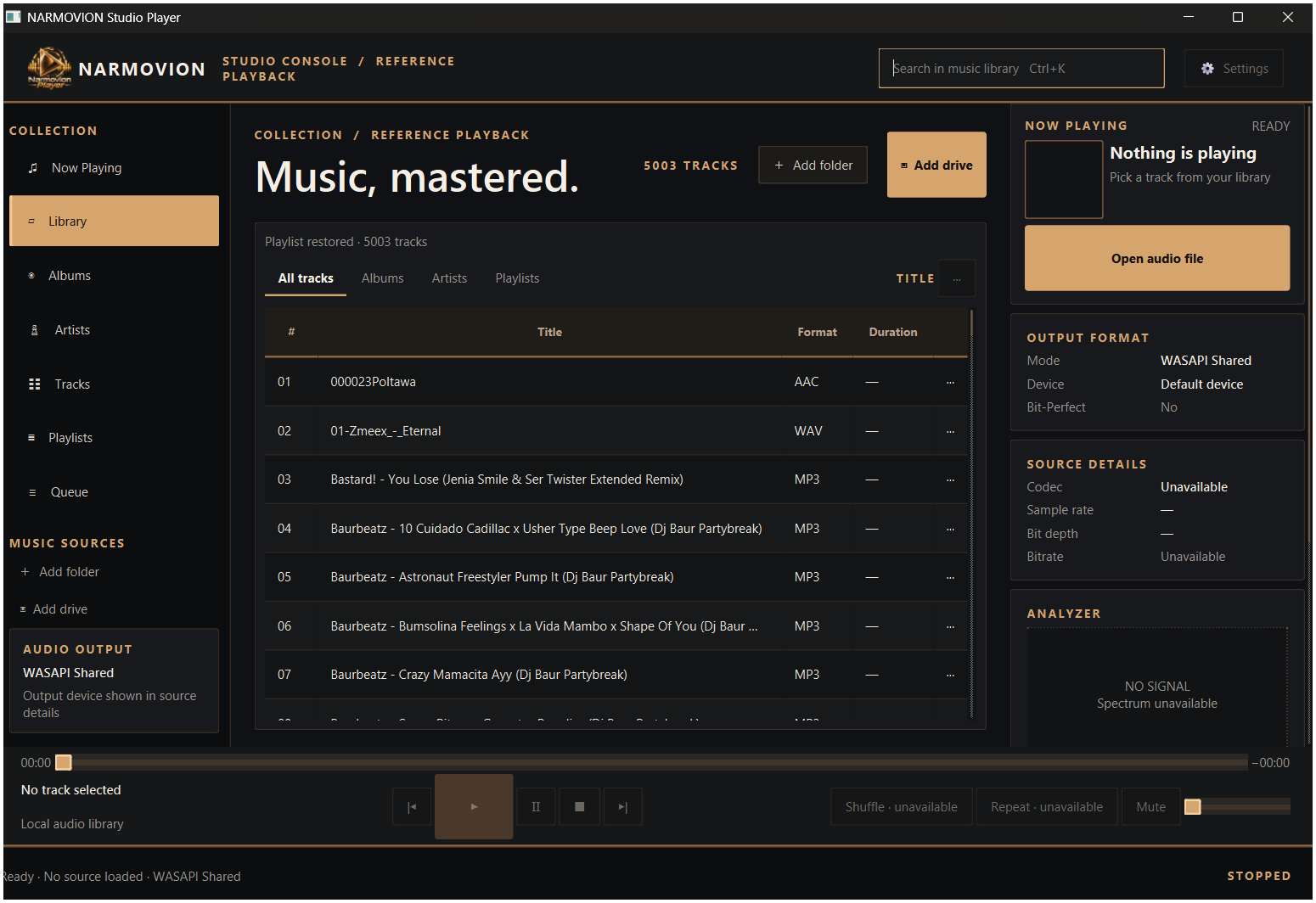
The main sections and panels below are visible in the supplied application screenshot.
Browse all tracks, albums and artists. Search recordings in the library.
Add music sources and bring a local collection into one workspace.
Playlist and Queue are available in the sidebar to organize listening order.
The current track, artwork, position, volume, pause and skip controls sit in the bottom panel.
The output mode, selected device and Bit-Perfect status are shown for the current source.
The source panel is designed for audio properties, while the analyzer provides signal visualization.
Select a folder or connected drive.
Browse tracks, albums or artists.
Use playlists and the playback queue.
Review the selected output and available details.
Follow the project page; download information can be added when a build link is available.