NARMOVIONNARMOVIONENGINEERING SYSTEMS
WINDOWS MAINTENANCE SUITE · VERSION 1.0.0

NARMOVION
ATLAS

A practical Windows toolkit for PC diagnostics, drive health, disk space analysis, and system maintenance with confirmation before every action.
WINDOWS 10 / 1164-BITFREE DEMO · NO TIME LIMITPRO LICENSE AVAILABLE
01 ANALYZE02 DIAGNOSE03 MAINTAIN04 RESTORE
NARMOVION ATLAS PC Doctor overviewATLAS / 1.0.0
PC DOCTOR · SYSTEM OVERVIEWWINDOWS DESKTOP
64Windows 10 / 1164-bit desktop app
◎No time limitStart with safe diagnostics
↺Controlled operationsConfirmations and activity log
⌂Local toolsTools run on your computer

One toolkit for Windows maintenance

Diagnostics, drives, files, and system tools

⌕FILES / 01

Duplicate finder

Scan selected drives and folders. Compare by size, SHA-256, then byte by byte. PRO moves extra copies to the built-in recycle bin, where they can be restored.

⌁SYSTEM / 02

PC Doctor

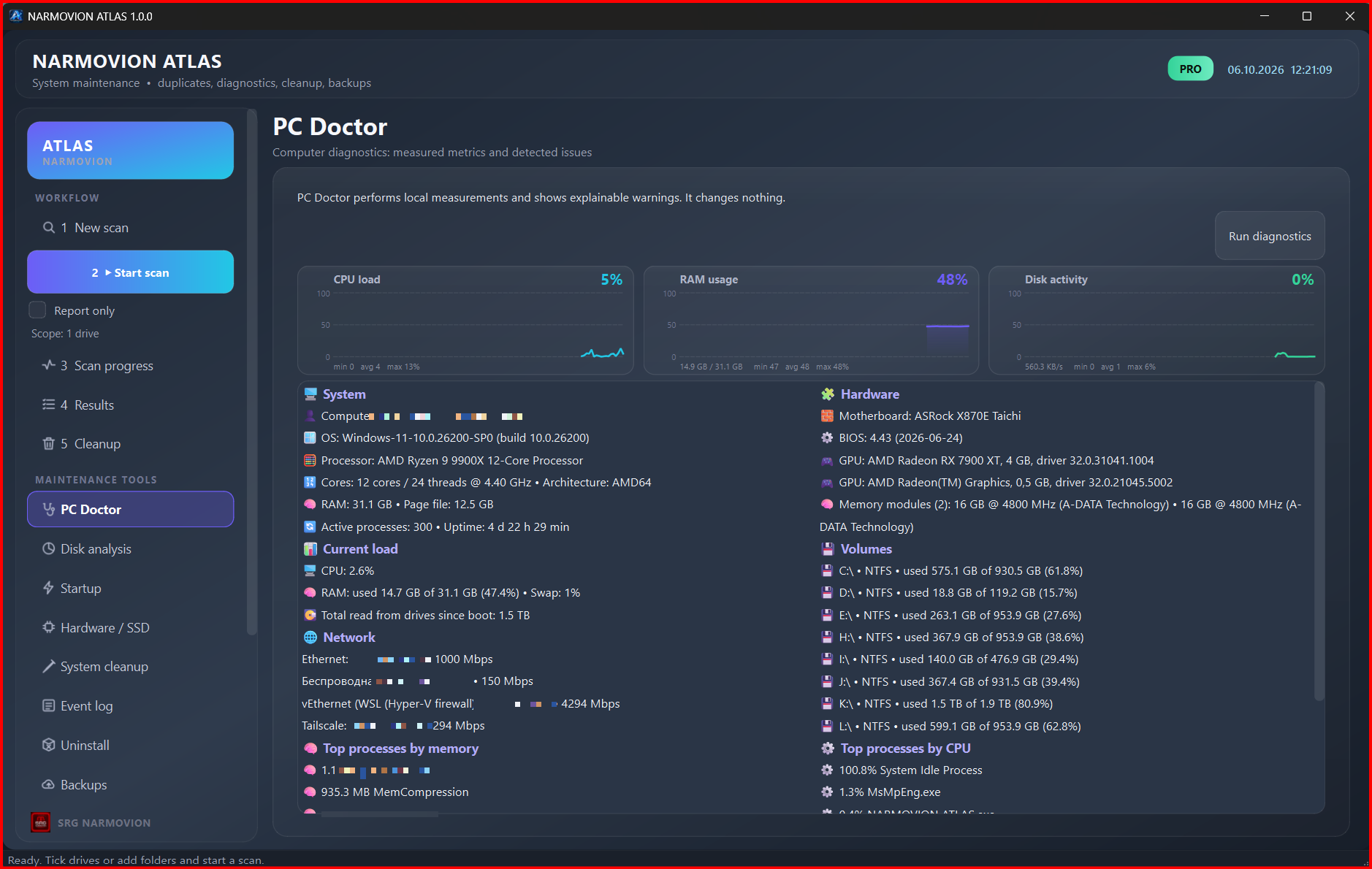
CPU, memory, hardware, volumes, network, and processes in one overview of your PC. Diagnostics only reads system data.

▤STORAGE / 03

Drives and SSDs

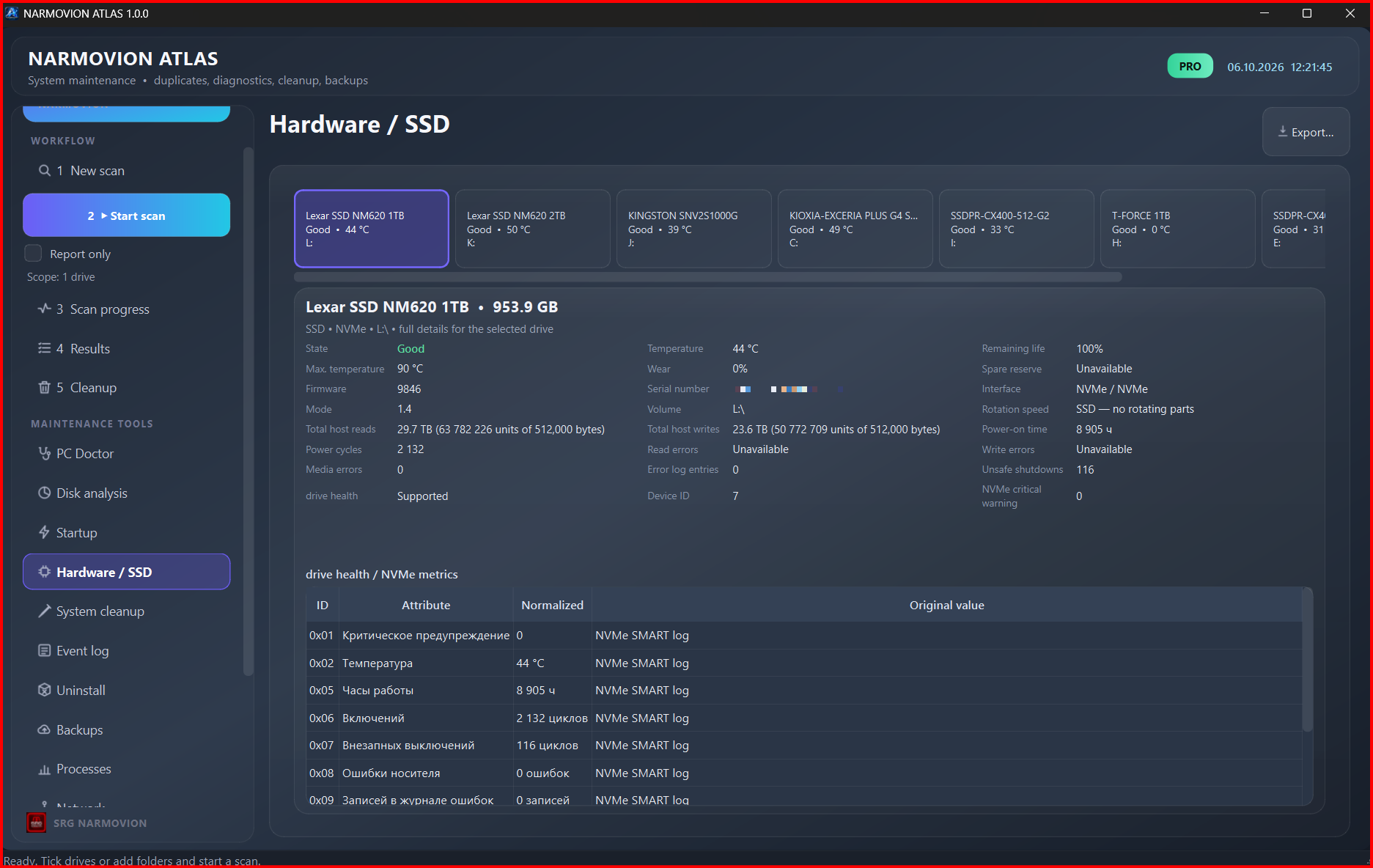
Drive inventory, temperatures, SMART and NVMe metrics, and Windows status. Metrics unavailable from the controller are clearly marked.

◫SPACE / 04

Disk analysis

A recursive map of used space by folders, file types, and individual files. Includes search, details, back navigation, and an access error list.

ϟBOOT / 05

Startup apps

Review HKCU Run/RunOnce and Startup folder entries. Disabling an item is reversible, and changes are logged.

⌫CLEAN / 06

Windows cleanup

Preview temporary files before confirming their removal. Locked or changed items are skipped.

⛨RECOVERY / 07

Backups

Create backups and restore files. Keep important files safe before maintaining your PC.

≋CONTROL / 08

System tools

Manage apps and processes, inspect network data, export reports, and schedule tasks.

Multi-stage duplicate verification

Quick filtering first, followed by strict content verification

  duplicate-check / pipelineVERIFICATION FLOW
STEP 01SizeReject files with different sizes
STEP 02SHA-256Group matching candidates
STEP 03Byte checkCompare file contents
STEP 04ReviewReview before taking action
// Duplicate verification flow
if (fileA.size != fileB.size) skip;
if (sha256(fileA) != sha256(fileB)) skip;
byte_compare(fileA, fileB) → exact match

Controlled system operations

  • Changes to Windows require separate confirmation.
  • Tasks show their stage, progress, duration, and errors.
  • Long-running tasks can be paused or stopped.
  • Files moved to the ATLAS recycle bin in PRO can be restored.

What the demo includes

  • View system data and run safe diagnostics.
  • Limited scanning in a selected location.
  • System-changing features are available in PRO.
1drive or folder
10 000files per scan
10 GBdata per scan
10duplicate groups
The demo has no time limit. The demo keeps one day of event history. Moving and restoring files, system cleanup, backups, startup management, ending processes, uninstalling apps, and report exports require PRO activation.

Choose an ATLAS license

Your activation key is emailed after payment

GETTING STARTED01 / DEMO

Demo

Free

No time limit

  • View system data and run safe diagnostics
  • Limited drive scanning
  • One day of event history
Download and get started →
SINGLE PC03 / LIFETIME

ATLAS PRO Lifetime

€79.90 / lifetime

License for one PC

  • All features, with no demo limits
  • No expiration
  • Activate on one PC
Choose Lifetime →

The interface

Screenshots from NARMOVION ATLAS

NARMOVION ATLAS PC Doctor system overview
PC DoctorSystem, hardware, load, volumes, and processes.
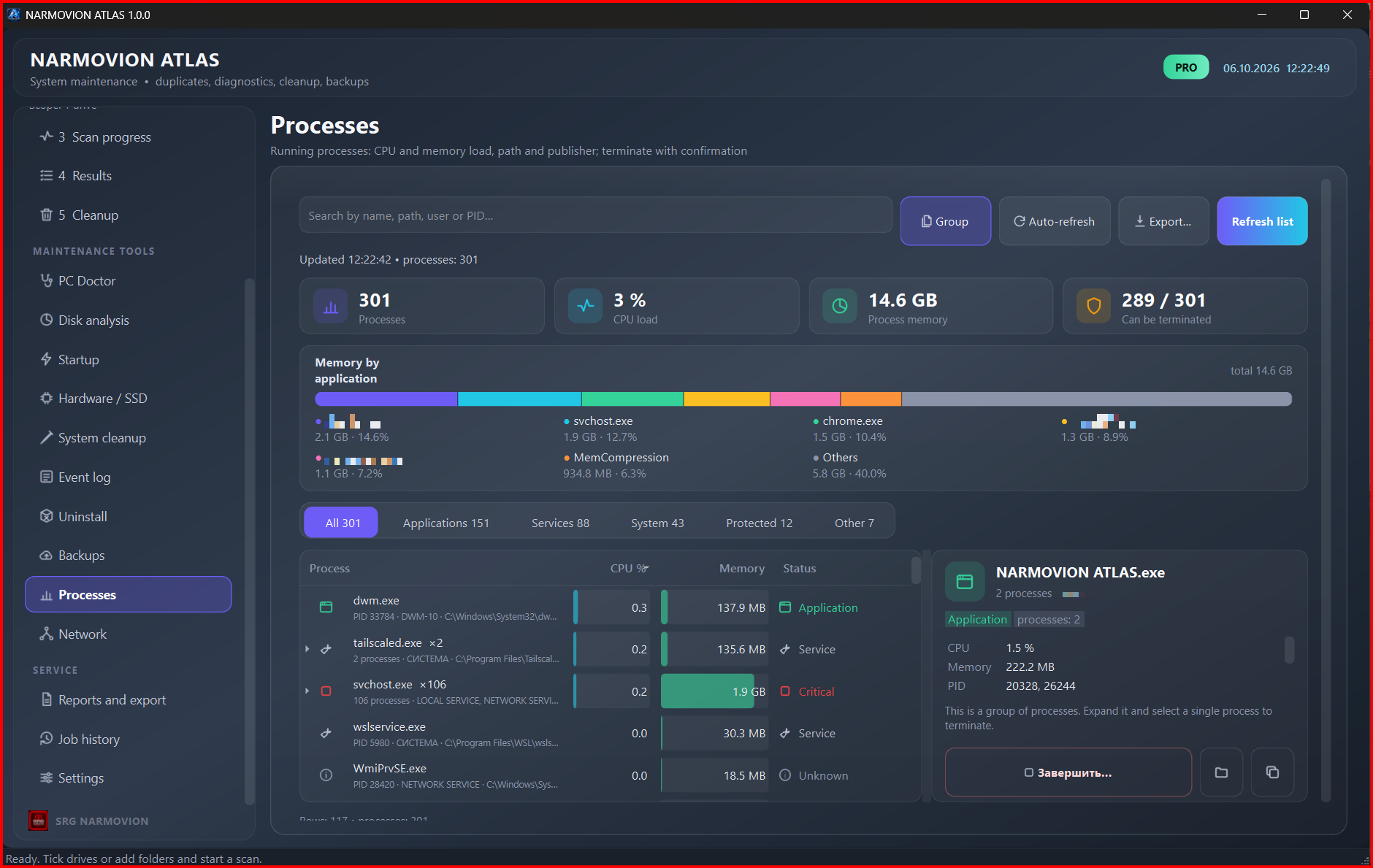
Processes in NARMOVION ATLAS
ProcessesCPU and memory usage, file path and publisher; ending a process requires confirmation.
SMART and NVMe drive data in NARMOVION ATLAS
Drives and SSDsDrive list and detailed SMART/NVMe metrics.
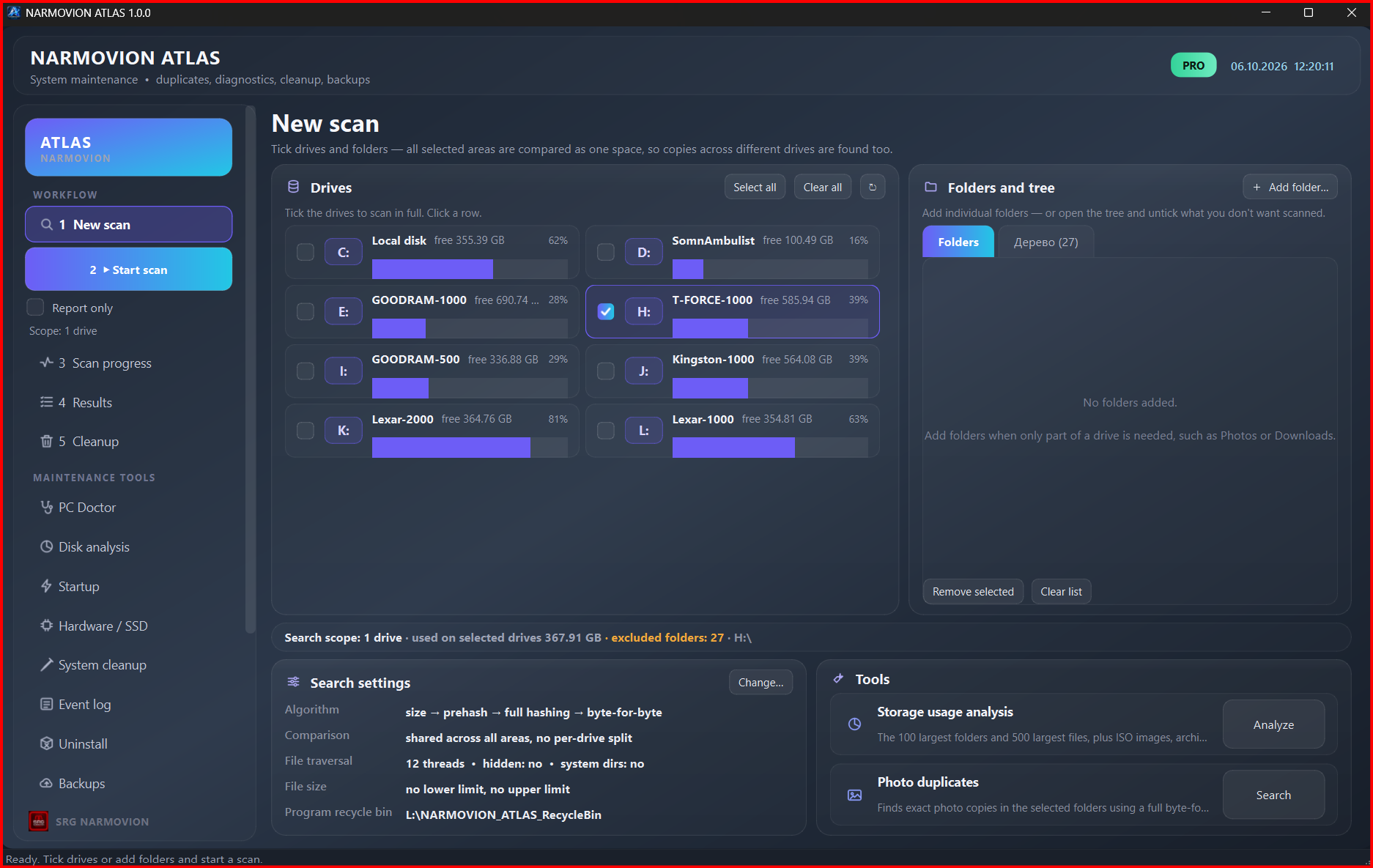
Duplicate scan setup in NARMOVION ATLAS
ScanningChoose drives and folders, scan locations, and comparison settings.

Download NARMOVION ATLAS

Installer for Windows 10 and Windows 11 · x64

RELEASE / 1.0.0

Try the demo

The free demo lets you view system data and run safe diagnostics with no time limit.

Download for Windows ↓⬇ Downloads: …
InstallerNARMOVION_ATLAS_Setup_1.0.0_20261006_r4.exe
File size89 MB
SHA-256689a1e569944073754d5f9a007757a1f2ebd85f936486965eff7ec03c8f0c658
  • The installer is not digitally signed yet. Windows may display an Unknown Publisher or SmartScreen warning.
  • Before installing, read the license agreement and the privacy policy.